Answering agents
Every question, permission request and finished task lands as a card in the Inbox. Answer with one key, or in your own words.
The Inbox#
Open it by clicking the pill, by double-tapping ⌥ while an agent is waiting, or with G then I inside the app. Cards show the agent, its machine and project, and what it needs.
Focus and list modes#
The switch at the top of the Inbox changes the layout. onestation remembers your choice.
- One at a time (focus mode) shows a single card. J and K move along the rail of waiting cards.
- List shows every card at once. J and K move the highlight.
Answer with a key#
- Options are numbered. Press 1–9 to pick one.
- Multiple-choice questions: numbers toggle options, ↵ submits. You can also submit with nothing selected.
- Permission prompts: A allows, D denies.
Type your own reply#
Press R to answer in your own words. ↵ sends, ⇧ ↵ adds a line, ⌘ V attaches an image. This works for every question, including multiple choice. When the agent’s menu has an “Other” or “type your own” entry, onestation picks it before typing your text.
You can also message any agent at any time, not only when it asks: open the agent and use the message box.
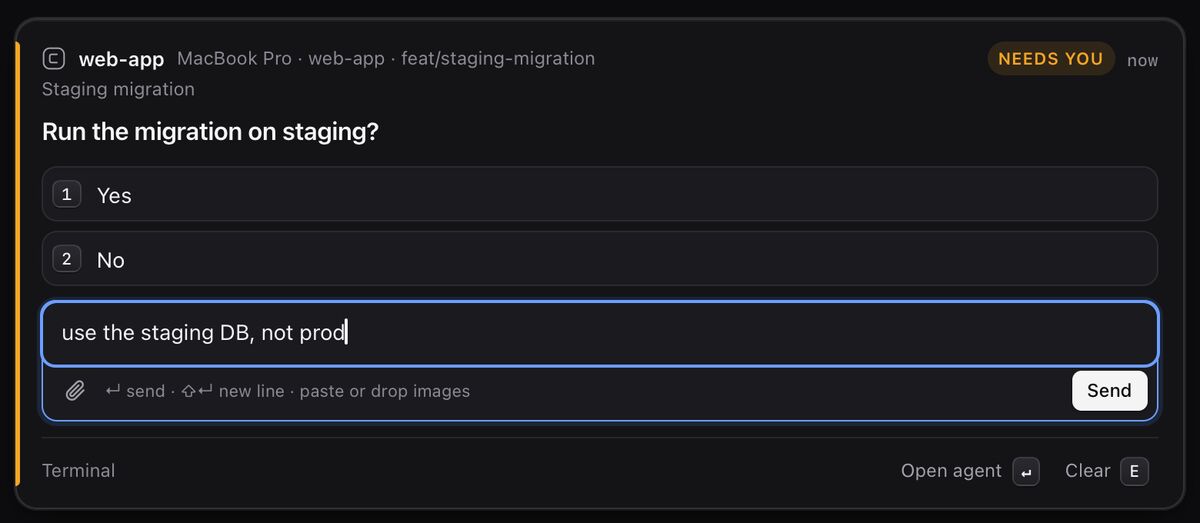
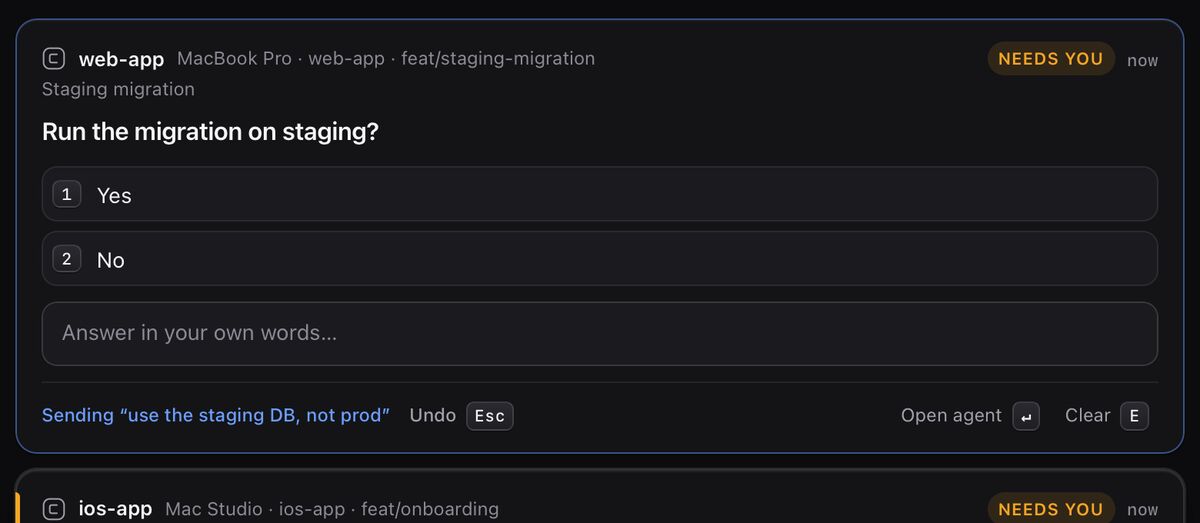
Undo#
Every answer and message waits two seconds before it is sent. Press Esc or click Undo to take it back; you’ll see “Nothing was sent.” After that a delivery receipt confirms the agent received it.
If the question changed during those two seconds, for example because you answered it in the terminal, onestation refuses to send rather than typing into a different prompt.
Discard, interrupt or kill#
| Action | What happens | Key |
|---|---|---|
| Discard | Removes the card. The agent keeps running. Undo from the toast, or click Restore discarded. | E |
| Interrupt | Stops the agent’s current turn. The agent and its session stay open. | From the agent |
| Kill | Ends the agent and its terminal session. onestation asks first. Only for agents in herdr or tmux. | X |
Keyboard shortcuts#
Press ? in the app to see this list.
| Inbox | Keys |
|---|---|
| Move between cards | JK |
| Answer with an option / toggle in multi-select | 1–9 |
| Submit multi-select / open the agent | ↵ |
| Reply in your own words | R |
| Allow / deny a permission prompt | AD |
| Open the agent | O |
| Copy the card | C |
| Discard the card (agent keeps running) | E |
| Kill the agent (asks first) | X |
| Undo during the 2-second countdown | Esc |
| Anywhere | Keys |
|---|---|
| Talk | / |
| Talk or Inbox from any app (Mac) | ⌥⌥ |
| Go to Inbox · Agents · Talk · Settings | G then I / A / T / S |
| New agent | N |
| Show all shortcuts | ? |
| Close a panel, keep the draft | Esc |
| Reset window and pill position | ⌘0 |
| Composer | Keys |
|---|---|
| Send | ↵ |
| New line | ⇧↵ |
| Attach an image | ⌘V |
Still stuck?Email us with what you tried. A person reads every message, usually within one working day (CET).
Email support